
Use this income tax calculator to estimate your net income, or take-home pay.
Get Closer to Understanding What You Can Afford.
Your income is a major determining factor in your borrowing capacity. It is important to understand your monthly income to help give you an idea as to how much you can realistically afford. You can also use the budget planner to understand all of your expenses and find ways to save.
How to use it: click Launch Calculator below, enter your details to see your estimate, then change the figures to compare different scenarios.

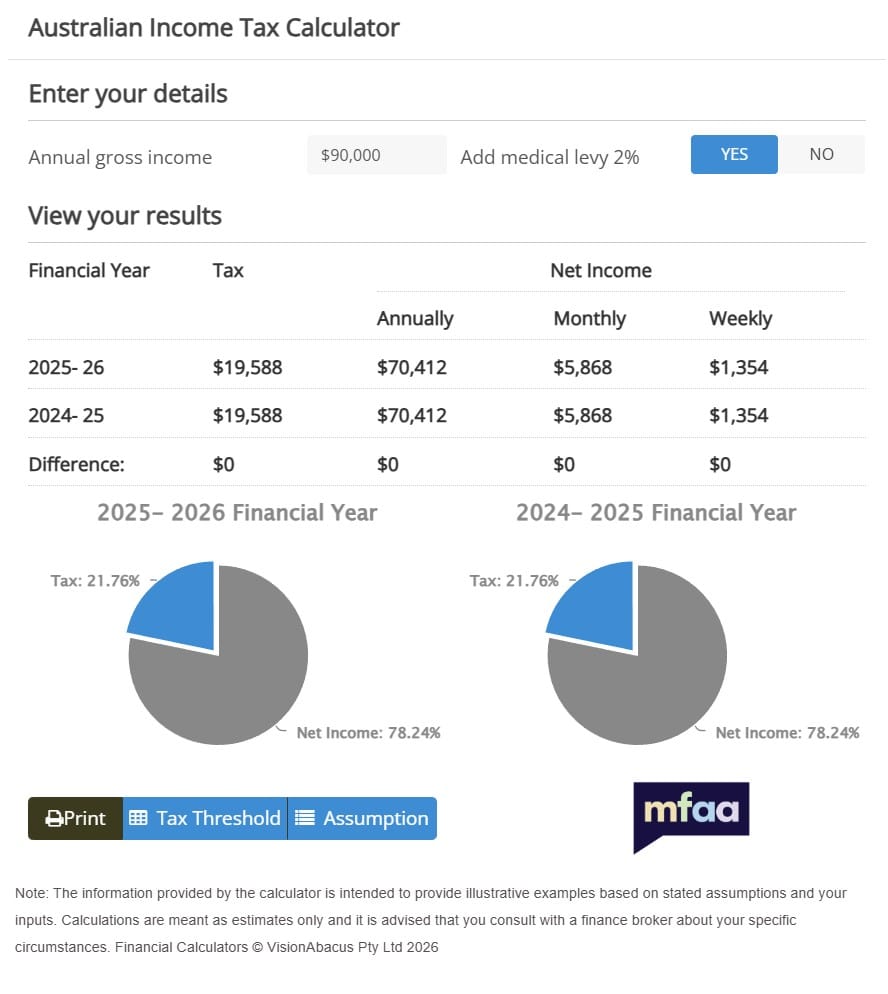
Income Tax Calculator
Estimate your net income based on your gross taxable income
How to Use the Income Tax Calculator
- Enter your gross income, which is your income before tax.
- Choose how often you’re paid, so the results match your pay cycle.
- Answer any questions about items such as HELP debt, if the calculator asks.
- Then review your estimated net income, or take-home pay.
For official figures, the ATO publishes tax rates for Australian residents and its own calculators.
Gross vs Net Income: How to Read Your Result
Gross income is what you earn before tax. Net income is what’s left after income tax, the Medicare levy and, where relevant, compulsory HELP repayments. Your net income is the money that actually lands in your account, so it’s the number to budget with. Our budget planner helps you see where it goes.
Resident Tax Rates for 2026 to 2027 (ATO)
According to the ATO, the resident rates for the 2026 to 2027 income year are:
- $0 to $18,200: nil
- $18,201 to $45,000: 15c for each $1 over $18,200
- $45,001 to $135,000: $4,020 plus 30c for each $1 over $45,000
- $135,001 to $190,000: $31,020 plus 37c for each $1 over $135,000
- $190,001 and over: $51,370 plus 45c for each $1 over $190,000
These rates don’t include the Medicare levy of 2%, and they apply to residents entitled to the full tax-free threshold for the full year.
Worked Example: A $100,000 Salary
The salary below is a hypothetical round number, for illustration only, not a current rate or tax advice.
Using the ATO resident rates above, a taxable income of $100,000 attracts tax of $4,020 plus 30c for each dollar over $45,000, which is $20,520. Adding the 2% Medicare levy ($2,000) brings the total to $22,520. That leaves about $77,480 a year, or roughly $6,460 a month. However, this ignores tax offsets, HELP repayments, salary sacrifice and other adjustments, so your own result may differ. Run your own salary through the income tax calculator above to compare.
How Take-Home Pay Relates to Borrowing Power
In general, lenders start with your gross income and then work out the tax to arrive at a net figure. Next, they subtract your living expenses, your existing debt repayments and the repayments on the new loan at an assessment rate. What’s left must show you can afford the loan, so your net income effectively sets the ceiling.
- Base salary is usually counted in full.
- Overtime, bonuses and commission may be shaded or need a track record.
- Rental income is often only partly counted.
- Self-employed income is usually assessed from tax returns. See our self-employed home loans page.
- HECS or HELP repayments reduce your take-home pay and, as a result, your borrowing power.
Our guide on how lenders calculate your income goes into more detail, and the borrowing power calculator shows how your income translates into a loan amount.
Limitations of the Income Tax Calculator
The income tax calculator gives an estimate only. It may not include offsets, deductions, the Medicare levy surcharge or changes to tax rates, so it isn’t a substitute for your tax return or professional advice. Speak to your accountant or tax adviser about your own tax.
Local Help, Australia-Wide
Ingram Financial is a Sutherland Shire mortgage broker based in Bangor, NSW, and we also help clients across Australia by phone and video. We can explain how lenders are likely to treat your income before you apply. Visit our Home Loans page to see how we help.
Income Tax Calculator FAQs
Gross income is your pay before tax. Net income is what you receive after income tax, the Medicare levy and any compulsory HELP repayments.
Both, in general. Lenders usually start with your gross income, work out tax to reach a net figure, and then test that against your expenses and repayments.
Yes. Compulsory repayments come out of your pay, so they lower your net income and usually reduce how much you can borrow.
It can be. Many lenders count some or all regular overtime, often with a history of payslips, but policies vary between lenders.
Find Out What Your Income Could Borrow
Know your take-home pay? The next step is finding out what lenders could offer you. Call Shannon on 0402 283 480 or book a time that suits you. You’ll receive our Credit Guide, which explains how we’re paid, before we start working together.
The information on this page is general in nature and does not take into account your objectives, financial situation or needs. Lending criteria, fees and charges apply. Consider whether it is appropriate for you and speak to us for advice specific to your situation. Speak to your accountant or tax adviser about tax.
Need Some Help?
Not sure where to start? That’s exactly what we’re here for. Drop us a message and we will get back to you within one business day with clear, honest advice tailored to your situation.